
Improve your automated tests
How to test software using Gherkin? The tests are built using phrases that even a non-technical person can easily understand.
Go to content|Go to the main menu|Go to search

At Edhouse, we have long-term experience in bringing hardware to life. In reality, however, such hardware is not alive; we simply provide it a software interface that allows users to communicate with and control it. But breathing life into hardware, even if only artificial life, is not a problem at all these days.
Today, we encounter artificial intelligence at every turn, but in the field of hardware, I believe we are still not fully exploiting its potential. Yet it takes relatively little—just adding a communication bridge to enable the AI agent to 'understand' the hardware.
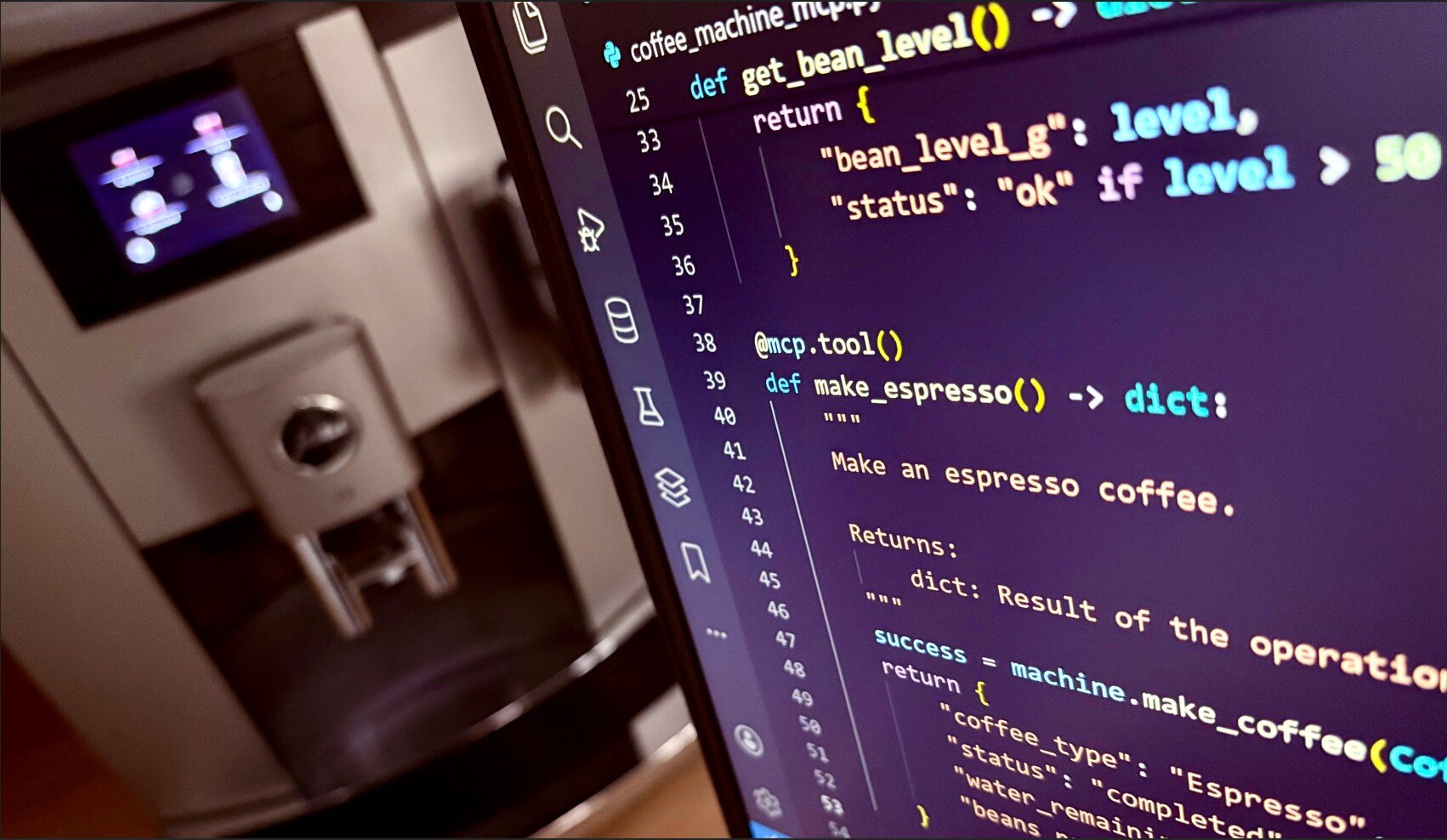
Unfortunately, I can't share my experiments with an electron microscope here, but it might be a bit complicated and perhaps even boring for most readers. So, let's look at bringing hardware to life using something that everyone is familiar with. Let's try to breathe life into a coffee machine. Hypothetically, that is possible – I'm not sure if any coffee machines offer software control, but when I mentioned this to my colleagues over morning coffee, we started checking whether our coffee machine had a USB connector😊.
So, let's imagine that our hardware has, in addition to buttons and a display, some kind of software interface for control. For this purpose, I wrote a coffee machine simulator in Python:
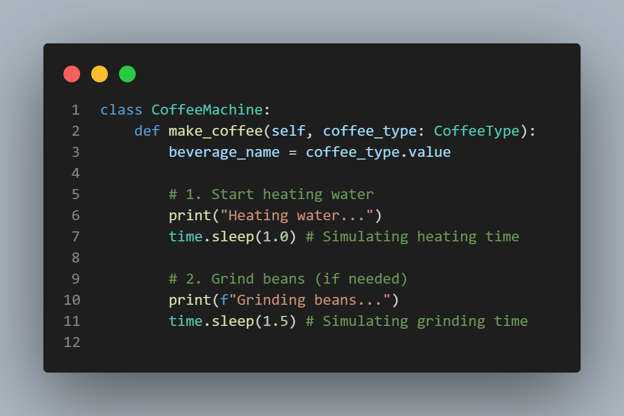
The MCP server provides the AI with information about everything it can control in the form of tools. Tools can be understood as individual commands or questions we want to ask. In the case of a coffee machine, this could be, for example, "how much water is left in the tank?" or "make me an espresso."
Since Python is my main programming language and the coffee machine interface itself is also programmed in Python, I chose FastMCP for the demonstration. I firmly believe that a similar library or tool can now be found for every commonly used programming language.
I installed FastMCP via PIP using pip install fastmcp and then created a file that will represent our MCP server. Then, all you need to do is import both our coffee machine interface and the mentioned module into it.
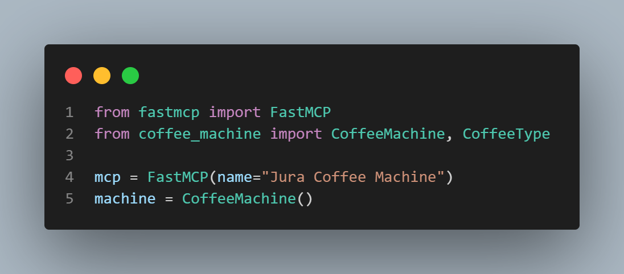
Now we can start implementing it. Here, it depends on our creativity and how much we want to simplify AI communication. For example, we can simply duplicate the available functions:
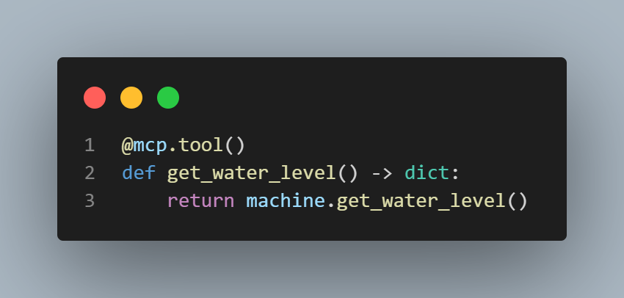
Or we can add additional logic. In this case, we provide the AI with additional necessary information, or we can combine individual operations into logical units using tools. In this case, we can also significantly reduce the costs of using the AI model because we simultaneously reduce the number of queries.
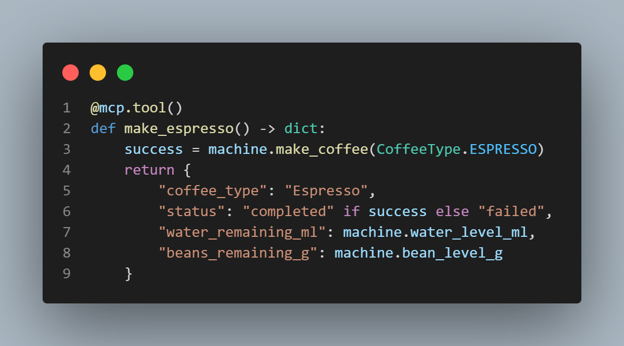
As you can see in my example, the complete source code for which can be found on our GitHub, developing such an MCP server is quite straightforward. If you have ever programmed a back end or API, you can handle this too.
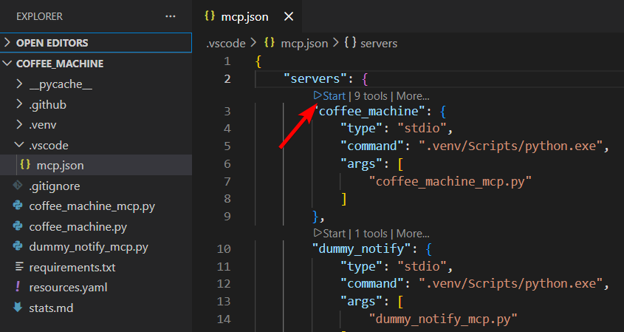
All you need to do is start the MCP server and start talking to it. I used the VS Code editor interface and the Copilot chat agent for this. The .vscode/mcp.json file is used to operate the MCP server. You can also run the MCP server as a web server and connect it to other applications within your infrastructure.
Communication with MCP does not have to be limited to chatting. We can create more complex scenarios or workflows. In my example, I added morning-coffee.prompt.md —a scenario for preparing morning coffee for colleagues in the office.
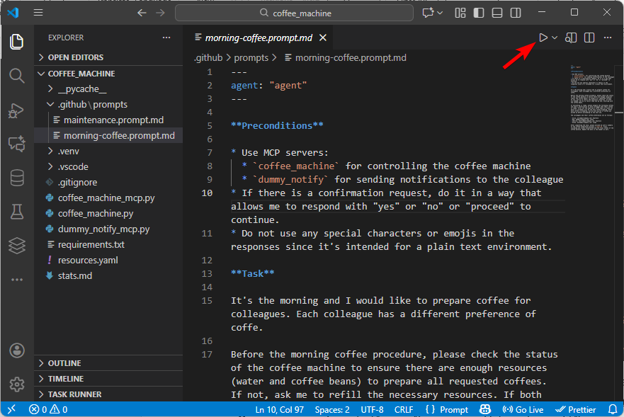
This also allows us to connect multiple sources. In my example, I added a notification app simulator that can send a message to colleagues letting them know that their coffee is ready.
It's interesting to see how AI deals with various problems. In my case, for example, Bob likes to treat himself to a latte in the morning, but our coffee machine doesn't have a milk container. Sometimes the AI asks what to prepare as a substitute, and sometimes it chooses a substitute itself. Bob can be surprised every morning, or we can adjust the routine and add information about which coffee Bob prefers as a substitute.

Thank you for your interest in subscribing to our newsletter! To complete your registration you need to confirm your subscription. We have just sent you a confirmation link to the email address you provided. Please click on this link to complete your registration. If you do not find the email, please check your spam or "Promotions" folder.