Robot Framework is a popular Python-based testing tool maintained by the community and available free of charge. This gives it a great price/performance ratio. Its syntax is based on keywords. But can Robot Framework handle BDD and Gherkin? Let’s take a closer look.
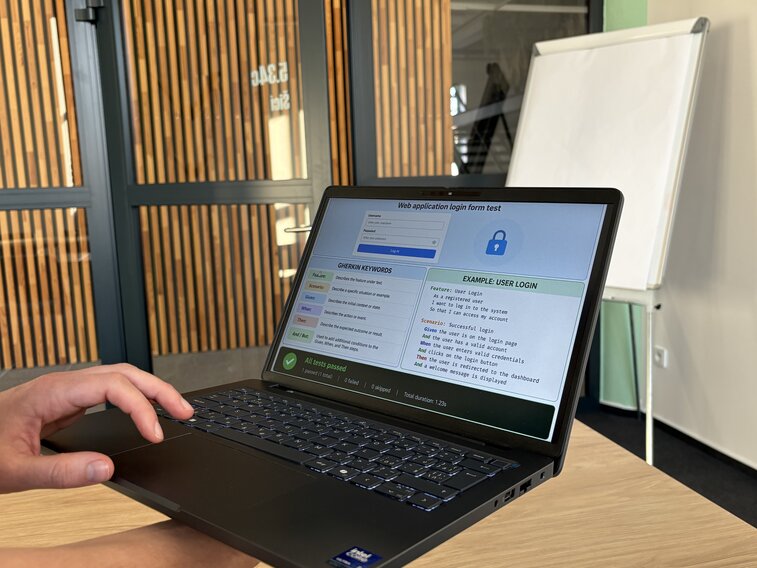
Gherkin syntax is widely used for writing test scenarios — and for good reason. Its simplicity makes it easy to understand even for non-technical stakeholders, which can be a real advantage. Gherkin uses the following keywords to define a test case:
Feature: Describes the functionality (the goal).
Scenario: A description of a specific test case.
Given: The initial condition (“when I’m in a certain state”).
When: The user’s action (“when I do something”).
Then: The expected result (“then something should happen”).
Some keywords take variables. For example, in the keyword I enter "${search_string}" in the search field, the variable search_string can be replaced with any value.
The result of the test appears in the standard HTML output like this:
Although Robot Framework is primarily built for keyword-driven testing, it handles Gherkin easily without major hurdles. There is no need to install anything extra as Gherkin is supported natively in Robot Framework.
Share article
Author
Pavel KolářQA engineer focused on E2E testing, amateur mycologist, and chronic self-taught learner.
Get the latest updates from the world of Edhouse – news, events, and current software and hardware trends.
Thank you for your interest in subscribing to our newsletter! To complete your registration you need to confirm your subscription. We have just sent you a confirmation link to the email address you provided. Please click on this link to complete your registration. If you do not find the email, please check your spam or "Promotions" folder.